


















How to Use a Timer or App for Effective Meditation Practice
Learn how to use a timer or meditation app to improve focus, build consistency, and deepen your practice with simple tools for daily mindfulness.


Introduction — The Blend of Stillness and Technology
Meditation is as old as silence itself — yet in our busy digital lives, modern tools like timers and apps have made it easier to stay consistent. Far from distracting us, the right use of technology can actually support deeper awareness.
Using a timer or app helps structure your practice, measure progress, and remove the mental load of “how long should I meditate?” Once time is taken care of, the mind is free to relax.
Let’s explore how to use these tools effectively — without letting them dominate your inner space.
Why a Timer or App Helps Meditation
Many practitioners lose focus worrying about time — “Has it been 10 minutes yet?” “Am I late for work?”
Trending Guides Now
Candle Gazing Meditation (Trataka): A Complete Beginner’s Guide to Method and Benefits

Common Mistakes in Breathing Meditation and How to Fix Them

Color Meditation: A Simple Technique to Heal the Mind Through Visual Imagery

Meditation Techniques: The Complete Guide to Calm Mind and Inner Focus

Ujjain Railway Station to Mahakaleshwar Temple Distance (2026 Guide)

Ujjain Simhastha 2028 Dates Announced: Full Shahi Snan & Event Timeline

Ujjain Simhastha Update: CM Mohan Yadav Reviews 2028 Works

Karkateshwar Mahadev: 22/84 Mahadev of Ujjain
A timer solves this by giving your mind permission to fully let go, knowing you’ll be gently reminded when it’s time to end.
Apps go one step further: they track progress, offer guided sessions, soothing sounds, and motivation reminders. Used consciously, they become supportive companions rather than distractions.
Choosing Between a Simple Timer and a Meditation App
| Tool Type | Ideal For | Benefits |
|---|---|---|
| Timer | Silent meditation practitioners | Focus, no distractions, simple setup |
| App | Beginners, guided meditation users | Structure, community, tracking, soundscapes |
Both are useful — your choice depends on whether you prefer simplicity or structured guidance.
How to Use a Timer for Meditation
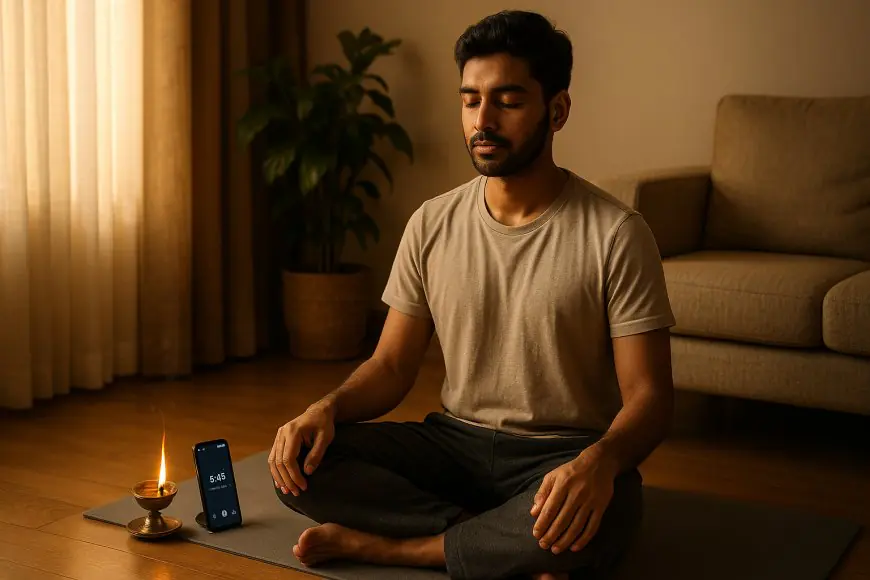
Step 1: Choose Your Device
Use a phone, watch, or digital clock with a gentle alarm tone (avoid loud, harsh sounds).
Step 2: Set Your Duration
-
Beginners: 5–10 minutes

-
Intermediate: 15–25 minutes
-
Advanced: 30+ minutes

Step 3: Choose an Ending Sound
Select a calm bell, Tibetan bowl, or gentle chime. The sound should signal completion, not startle you.
Step 4: Begin and Forget the Clock
Once the timer starts, forget time completely. The timer is now your silent guardian.
Step 5: Close Mindfully
When the timer rings, don’t rush. Open your eyes slowly and take three deep breaths before moving.
Using Meditation Apps — Step-by-Step
Step 1: Select a Reliable App
Some trusted options include Insight Timer, Calm, Headspace, Medito, or Sattva App.
Step 2: Choose the Mode
-
Guided Meditations (for beginners)
-
Silent Timers (for intermediate)
-
Courses or Challenges (for habit building)
Step 3: Create a Daily Schedule
Set reminders at the same time each day. Morning and evening sessions are ideal.
Step 4: Track Progress
Most apps show streaks or completion stats — not for competition, but for accountability.
Step 5: Use Soundscapes Wisely
Nature sounds or light instrumental tones can deepen relaxation. Avoid vocals or music that stimulates thought.
Best Practices for Using Timers and Apps
-
Airplane Mode During Meditation
Always enable “Do Not Disturb” mode — no notifications or calls should break your peace. -
Prefer Simplicity
Don’t over-customize your session with endless app options. Choose one and stay consistent. -
Avoid Comparison
Ignore public leaderboards or social streaks. Meditation is a personal journey, not a contest. -
Balance Digital and Natural Silence
Use digital support only to reach analog awareness. The goal is always inner silence. -
Weekly Reflection
Spend a few minutes reviewing how you feel after each week — more calm, focused, patient? That’s your real progress metric.
Advantages of Using Timers and Apps
-
Builds routine and accountability.
-
Frees the mind from time-tracking.
-
Offers guided wisdom for beginners.
-
Encourages consistency through progress logs.
-
Provides variety through sounds and themes.
Potential Drawbacks and How to Avoid Them
| Challenge | Solution |
|---|---|
| Distraction from notifications | Use airplane mode or offline timer |
| Overreliance on app | Occasionally meditate without devices |
| Data or screen fatigue | Limit app use to meditation only |
| Comparing progress | Focus on inner calm, not app stats |
Technology should be your servant, never your master.
Mindful Use of Technology — A Spiritual Perspective
Meditation teaches detachment — even from tools that help you. A timer or app is like training wheels on a bicycle. Once you can balance, you won’t need constant digital support.
The Bhagavad Gita reminds us: “Tools are sacred when used without attachment.”
So, use technology to return to your natural state of awareness — not to depend on it.
Combining Both Approaches
Many experienced meditators use a mix:
-
A timer for silent sits.
-
An app for guided or musical sessions.
This balance prevents monotony and sustains long-term engagement.
Ideal Daily Routine Example
| Time | Practice | Tool |
|---|---|---|
| 6:30 AM | 10-Minute Breath Awareness | Simple Timer |
| 8:00 PM | 15-Minute Guided Meditation | App (Calm or Sattva) |
| During Day | 1-Minute Mindfulness Break | Watch/Phone Reminder |
This rhythm integrates technology into awareness — not away from it.
Scientific Insights — Tech-Assisted Meditation Works
Studies in psychology show that app-based mindfulness improves emotional control, sleep, and cognitive performance. The key variable? Consistency, not complexity.
A 2024 MIT research paper concluded:
“Users who meditated 10–15 minutes daily via app reported 23% reduced anxiety and 30% improved focus within 21 days.”
So yes — using a timer or app mindfully is not distraction; it’s empowerment.
Conclusion — Use the Tool, But Stay the Master
A timer or app can guide you, remind you, and hold space for you — but the real meditation happens beyond the screen.
Meditation tools are like boats: they carry you across the river of restlessness. But when you reach stillness, you step out and walk freely.
Use technology as your ally — until awareness becomes your only reminder.
Frequently Asked Questions